
Task Priority
Mark which tasks are most important. Backlog priority for what's coming, daily priority for today.
Sunsama has two priority systems: one for your daily task list, and one for your backlog. They serve different purposes, so they have different levels and different behavior.
- Daily priority resets each day. Use it to decide what the most important work is day-by-day.
- Backlog priority is persistent. Use it to triage future work.
Daily priority
Daily priority is per-day. It’s a way to call out what matters about the tasks currently in your plan.
Levels
- Urgent
- Priority
- Normal (default)
- Low Priority
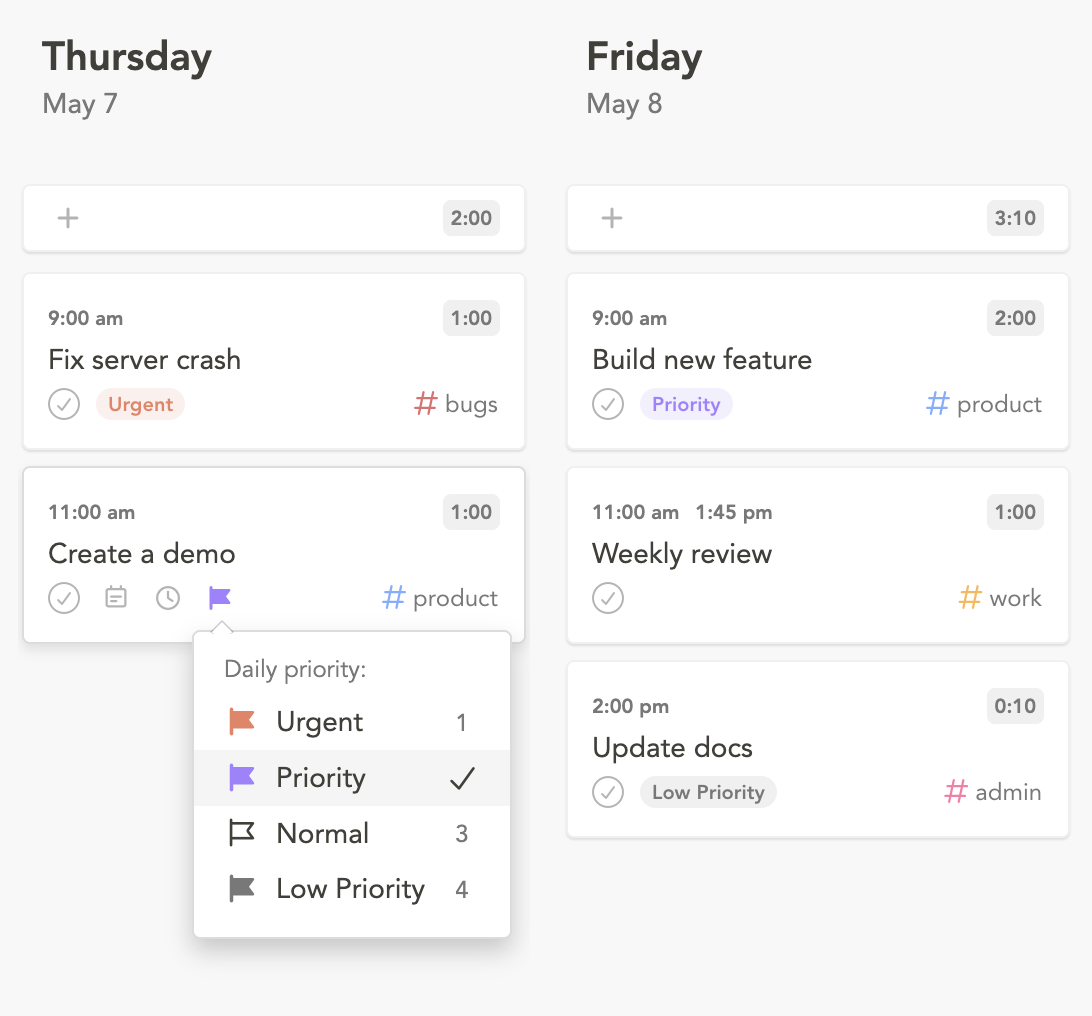
Setting daily priority
- Click the priority flag on a task in your daily list
- Open a task and change daily priority from the sidebar
- While creating a task on a specific day, type
!in the add task modal
Daily priority decays after a day
By default, daily priority resets to “normal” the next day. The intent: a task you flagged as urgent for today shouldn’t quietly stay urgent forever. If it rolls over and is still important tomorrow, you can re-flag it.
You can opt into rollover for specific levels in Settings → General → Priority rollover. Selected levels persist across days; unselected ones reset.
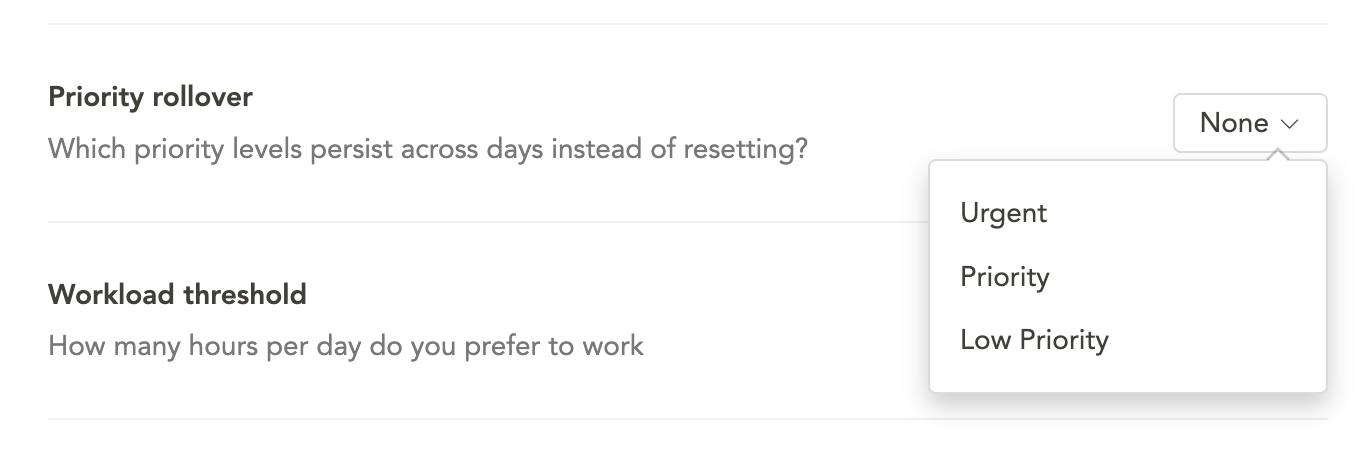
Reordering a task list by priority
Sunsama can keep your daily list ordered by priority automatically — see Auto-sort.
For a one-shot manual sort, open the command palette (Cmd K / Ctrl K) and run Reorder by priority. This sorts the focused day’s tasks once.
Backlog priority
Backlog priority sticks to a task until you change it. It allows you to keep your backlog prioritized more granularly.
Levels
- Urgent
- High
- Medium
- Low
- No priority (default)
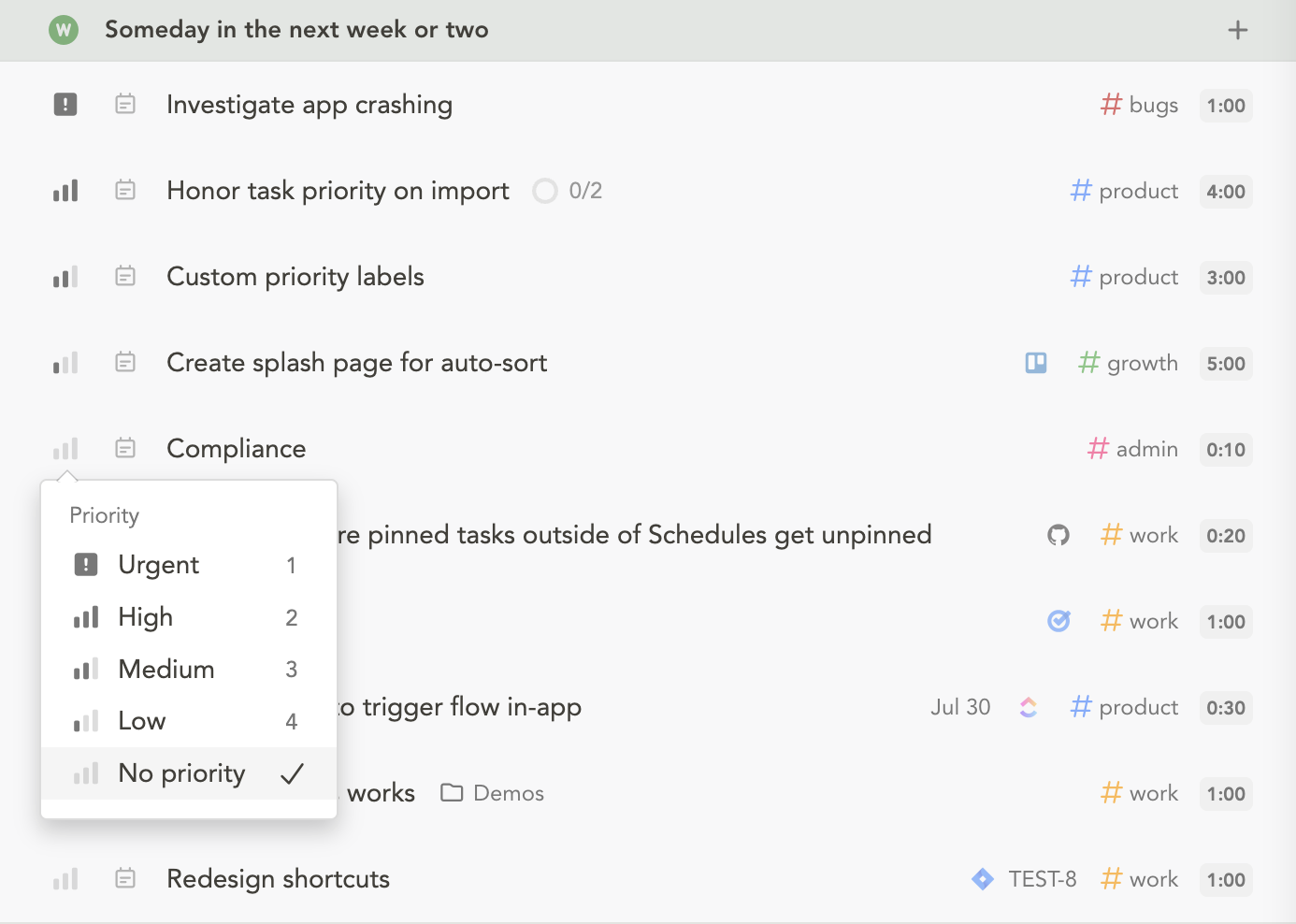
Setting backlog priority
- Click the priority icon on a task in the backlog
- Open a task and change priority from the task page sidebar
- While creating a task in the backlog, type
!in the add task modal to choose a priority
Filtering the backlog by priority
The backlog panel has a priority filter at the top. Click it to show only tasks at a chosen priority.
On mobile
Priority is fully supported on iOS and Android. Open a task to set or change its backlog or daily priority.