
Weekly Planning
The start of week ritual to plan your work for the week and set your objectives.
The weekly planning ritual guides you through planning your objectives for the week ahead.
Walkthrough
How to use
Entering the weekly planning ritual
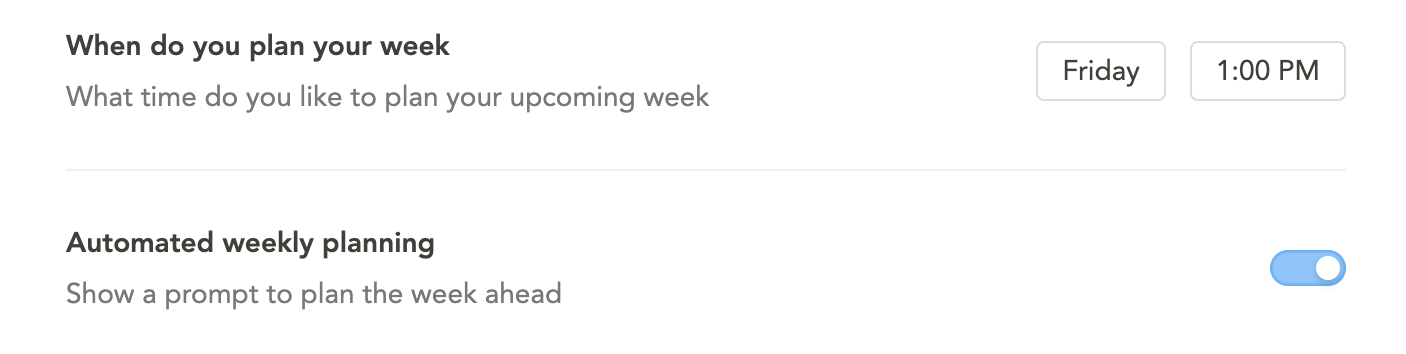
You can access weekly planning from the left navigation menu. If you have “Automated weekly planning” enabled, an auto-prompt will appear in the top right corner at your configured time.
To configure this, go to Settings > Rituals and set “When do you plan your week.”
Step 1: Setting your objectives
In the first step, you will see a reminder of the objectives you worked on the previous week.
- Drag previous objectives forward to extend them into the current week
- Click “Continue N objectives” to extend multiple objectives at once
- Add new objectives for the week ahead
- The display varies based on whether you had objectives the prior week
Step 2: Journal
Sunsama gives you the opportunity to write a small reflection on your upcoming week. You can keep reflections brief or write detailed considerations about what you want to accomplish. This helps set proper expectations for yourself.
Combined weekly review and planning
In Settings > Rituals, you can enable “Combine weekly review and weekly planning.” This merges the review and planning into one flow, where the review of past objectives becomes part of the planning process.
Reviewing past weekly plans
To review a past weekly plan:
- Scroll back in the Kanban to the target week
- Click the “Weekly planning” task
- View your plan and notes in the task’s notes section
Best practices
- The weekly planning ritual centers around defining your weekly objectives (not tasks). Focus on quality over quantity.
- Leave filling in the individual tasks you want to work on each day for the daily planning ritual.
- Avoid detailed planning too far in advance.
- Use “Post to Slack/Teams” for async team updates about your weekly plan.
FAQ
How can I post my weekly plan to Slack/Teams again?
The posting window works as follows:
- Thursday/Friday/Saturday/Sunday: planning for next week
- Monday/Tuesday/Wednesday: planning for this week
- Only one post per period is allowed
To repost manually:
- Scroll back to the planning day (Monday)
- Open the “Weekly planning” task
- Copy the notes from the task
- Paste into Slack/Teams