
Sunny the AI Assistant
Chat with Sunny, Sunsama's AI assistant, to manage your tasks, plan your day, and more.
Sunny is Sunsama’s built-in AI assistant. You can chat with Sunny to create and manage tasks, plan your day, organize your backlog, review your work, and do just about anything you’d normally do in Sunsama — just by describing what you want.
Getting started
To enable Sunny, go to Settings → Integrations → AI Assistant.
Once enabled, click the sparkle button (✦) in the bottom-right corner of the app to open the Sunny chat panel. You can type your message in the “Say something…” input, or use one of the quick-start buttons described below.
What Sunny can do
Sunny has full access to your tasks, calendar, backlog, objectives, and settings. You can ask it to:
Manage tasks
- Create, edit, move, or delete tasks; complete them or mark them incomplete
- Add subtasks, set time estimates, start and stop the timer
- Assign tasks to a channel, align them with a weekly objective, or timebox them to your calendar
- Manage and create recurring tasks
Plan your day
- Review your schedule, reorder your task list, and pull calendar events in as tasks
- Accept or decline meeting invites
Work with your backlog
- Review unscheduled tasks, assign them to folders, or move them to a specific day
Review your work over time
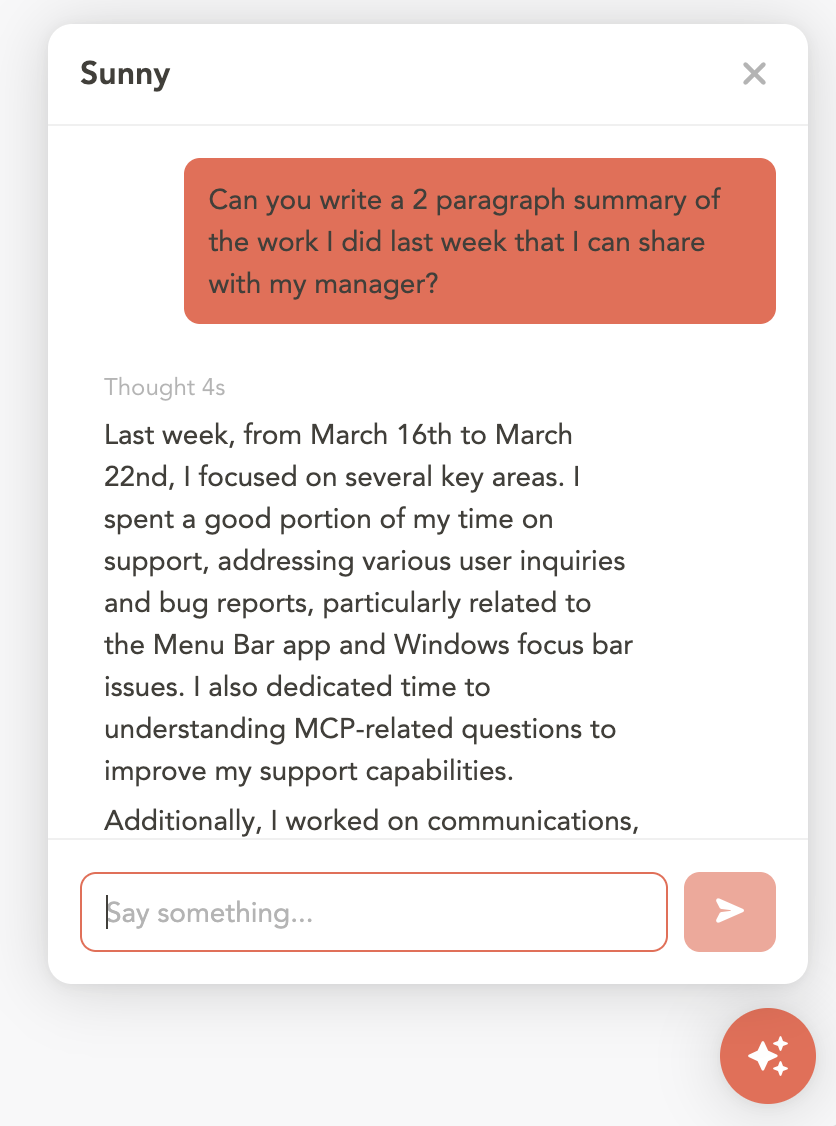
Ask Sunny to summarize your completed work over any period — last week, last month, a specific date range — so you can share updates with your team or manager.
Adjust settings
- Set your shutdown time or update your calendar import preferences
Talking to Sunny
Click the microphone button in the Sunny panel to talk to Sunny verbally instead of typing. You can also press Y to toggle the voice assistant.
Chat history
Your conversations with Sunny are saved automatically, so closing the panel no longer loses the thread.
Three buttons sit in the top-right of the Sunny panel:
- New chat — starts a fresh conversation. The one you were in stays saved.
- History (clock icon) — opens the list of your saved conversations, newest first. Click any one to pick it back up exactly where you left it, including everything Sunny said. Click the trash icon on a row to delete that conversation.
- Close — closes the panel. Your conversation is already saved.
Each conversation is titled after your opening message, so the list is easy to scan.
Example prompts
Organize your backlog:
Please review all tasks in my backlog that do not have a folder and assign them to one.
Vacation mode:
I’m going on vacation all of next week. Please delete any routine recurring tasks and defer the rest of my tasks to the following Monday.
Find focus time:
Look through my calendar and tasks this week and find a one-hour block during my working hours that would maximize deep work time and minimize calendar fragmentation.
Summarize your work:
Write a two-paragraph summary of the work I did last week that I can share with my manager.
Tips
- Sunny remembers context within a conversation. You can follow up with “move that one to Thursday” after discussing a specific task — and that context survives reopening the conversation from your history.
- For large batch operations (like reorganizing your whole backlog), give Sunny explicit instructions and it will work through the list.