
Billing Overview and FAQs
Major details surrounding billing with Sunsama including pricing, plans, and frequently asked questions.
How much does Sunsama cost?
Sunsama costs $22/user/month when paid monthly and $17/user/month when paid annually. Full pricing details are available at sunsama.com/pricing. Learn about our pricing approach in our Pricing Manifesto.
Free trial
When new users sign up, they create an account and start a 14-day free trial. We do not automatically charge users; payment only occurs if you upgrade after the trial ends.
- It is not possible to cancel your free trial.
- When the trial expires, you will lose workspace access.
- There is no difference between the free-trial version of Sunsama and the paid pro plan.
Paid plans
There is only one version of Sunsama, regardless of your subscription or workspace status. You can upgrade at any time.
How do I upgrade my plan?
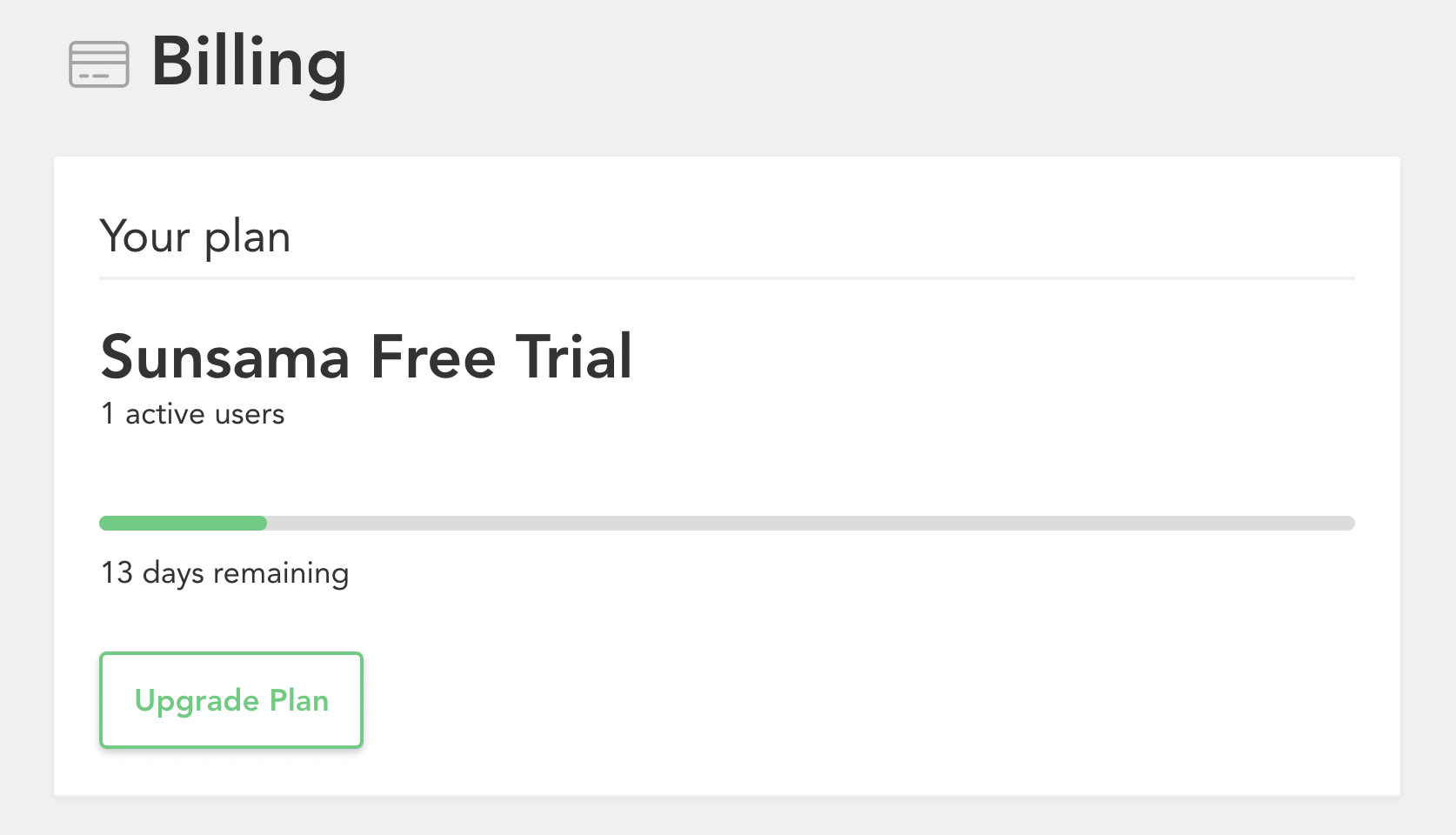
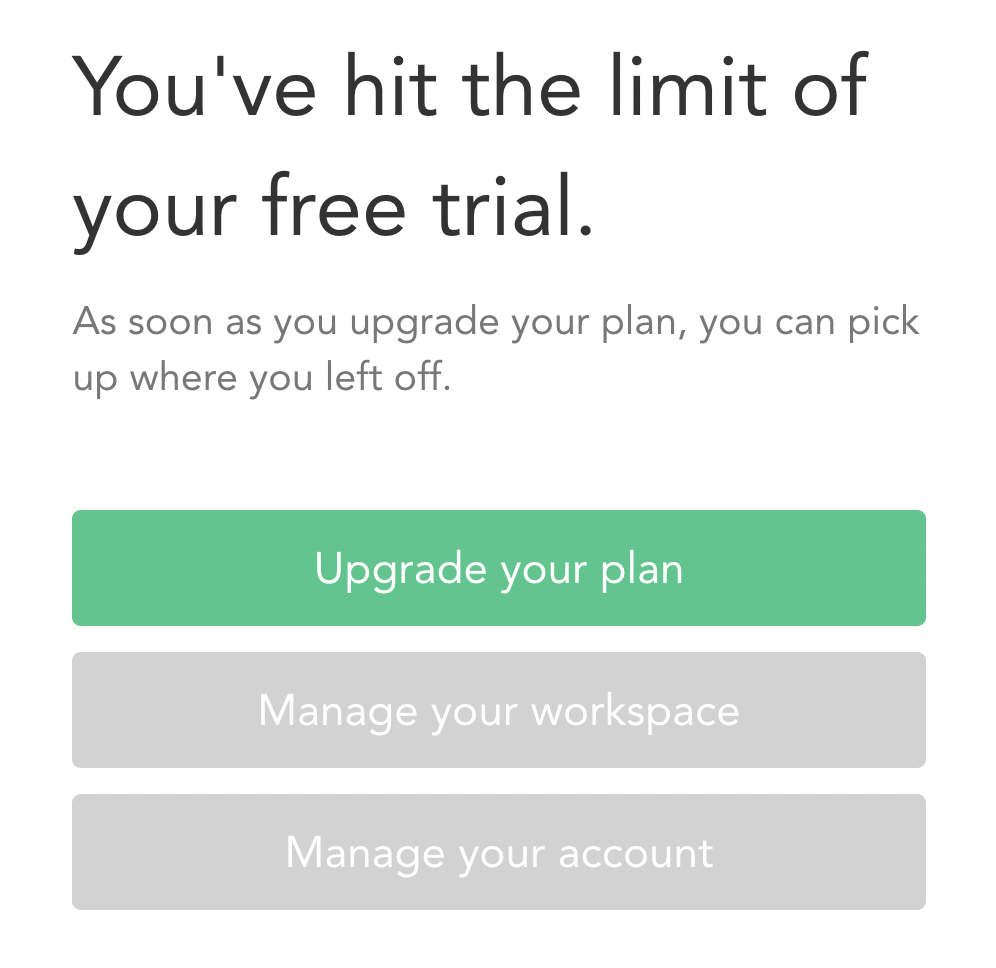
Access the Billing page from the main dropdown menu or click “Upgrade Plan” if the trial has expired. You will select Monthly or Annual plans and be directed to checkout to add payment information.
How do I pick between Monthly and Annual when upgrading?
The pricing page displays costs based on plan selection and workspace user count. Click “Monthly” or “Yearly” to see pricing and select your desired option.
Monthly subscription
You are charged $22 per user in your workspace each month to the card on file.
Annual subscription
You are charged $204 per user in your workspace once each year.
FAQs
What does “per user” mean?
In Sunsama, you can have a shared workspace. This means that multiple users are using their own Sunsama accounts under one single billed workspace. One admin user is billed for all accounts. Only the admin can modify billing information. There is no way to bill users in a shared workspace separately.
How can I pay for Sunsama?
At this time, our billing system only allows users to pay for Sunsama using a bank-issued card.
How can I change from a monthly to an annual subscription?
- Go to Workspace settings > Billing
- Click the Manage Billing button to open the customer portal
- Click Update plan
- Select your desired plan and click Continue
- Follow the remaining prompts
This will swap you from a monthly to a yearly subscription without incurring any additional costs.
How can I change from an annual to a monthly subscription?
- Go to Workspace settings > Billing
- Click the Manage Billing button to open the customer portal
- Click Update plan
- Select your desired plan and click Continue
- Follow the remaining prompts
This will swap you from a yearly to a monthly subscription without incurring any additional costs, and you will be credited for the difference.
How can I change billing information (e.g. company name, address, VAT, credit card)?
Access the customer portal by going to Workspace settings > Billing and clicking the Manage Billing button.
The download link for a previous invoice expired, how can I access it?
You can view and download previous invoices from the customer portal via Workspace settings > Billing > Manage Billing button.
Are there discounts for non-US geographies?
Not at this time.
Are there non-profit pricing plans?
Sunsama does offer generous non-profit plans. Contact support@sunsama.com with proof of non-profit status to apply special pricing.
Is there a student discount?
Eligibility requires: your Sunsama account must be under your valid student email address (e.g. .edu in the US) and you must be currently and actively enrolled as a college student.
To change your primary email to a student email:
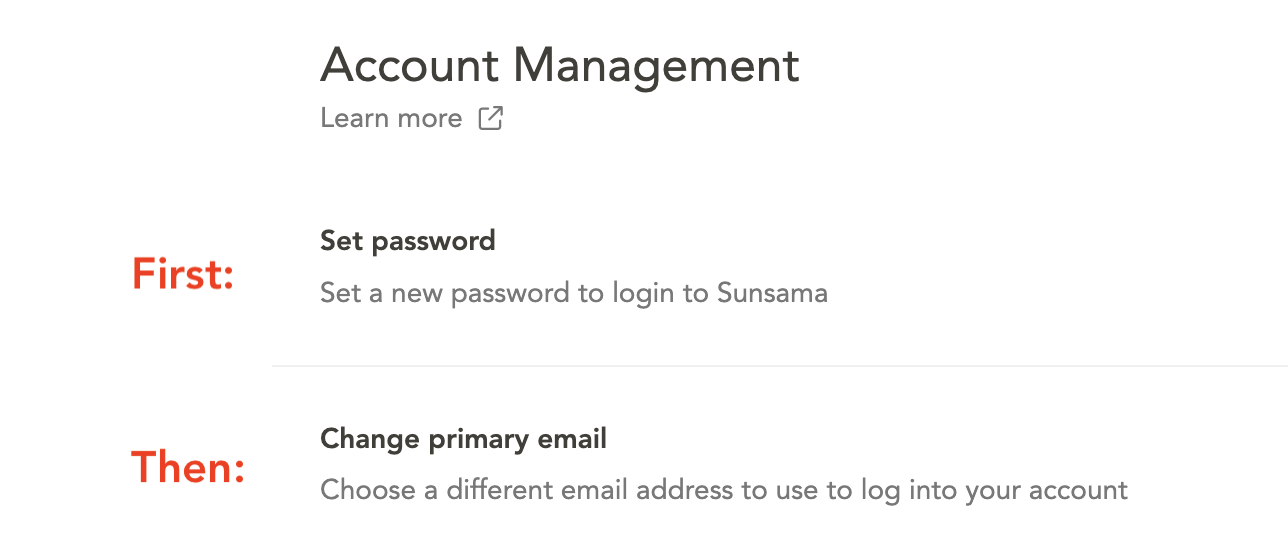
If your account is not currently under a student email, you must change your primary email. If the student email does not support Google or Outlook sign-in, set a password first.
- Go to Settings > Account management
- Click Set password and follow the steps
- Go to Settings > Account Management > Change primary email
- Sign in with your student email and password
To apply for the student discount:
Email support@sunsama.com requesting the discount and stating your target graduation date (month/year). The discount applies until graduation or four years from application, whichever comes first. The discount cannot be applied retroactively to past payments.
How do referrals work?
Anyone who signs up for a Sunsama trial with your referral link gets $22 in account credit applied to their account immediately. When the invited user upgrades to a paid subscription, you will be issued $22 in credit that will apply to your next charge.
Find your referral link at Workspace settings > Billing > referral link. More details in our Referral Program article.
Can I get my trial extended?
You can reach out to support@sunsama.com to tell us a bit about your situation and we’ll do what we can to help.
How do I cancel my free trial?
It is not possible to cancel your free trial. When your trial ends, you will not be charged as Sunsama does not have or take your billing information unless you decide to upgrade to a paid plan.
To delete your account, go to Account Settings from the main dropdown menu and scroll to the delete account option.
How do I cancel my paid plan?
Access the Billing settings page: Click Sunsama (top left) > Workspace settings > Billing, then click the Manage Billing button.
Billing lives under Workspace settings, not your personal Settings. You can also go straight there by visiting app.sunsama.com/billing.
What happens when I cancel my subscription?
When you cancel your subscription, you can continue to use Sunsama until the end of the billing cycle. Then it will not be automatically renewed.
How do I remove a teammate from my workspace?
Access the workspace settings page: Click Sunsama (top left) > Workspace settings from the dropdown menu. Scroll to the Members section showing current members with removal options.
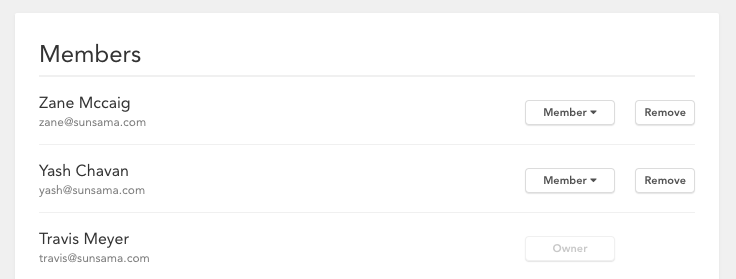
You will be asked to click “Remove” two times, once to select the member to remove, and once again to confirm this action.