Agent ThreadsBeta
Hand a task to the AI agent you already use — Claude, ChatGPT, Antigravity or Cursor — and follow the work from your Sunsama day.
More and more of your work gets done by an AI agent — researching a market, drafting a summary, cleaning up a spreadsheet, preparing a meeting. But those agents live in their own apps and windows, away from your plan. It’s easy to lose track of what you asked for, and an agent can sit idle for an hour waiting on a question you never saw.
Agent Threads bring that work into Sunsama, where you already decide what matters today. Hand a task to an agent right from the task, keep the conversation attached to it, and see at a glance which agents are working, which are done, and which need you. Your plan stays the one place you look, whether you or an agent is doing the work.
Agent Threads use the agent you already have, on your own computer and with your own account. Sunsama doesn’t replace it or charge for it: it starts the agent, shows you what it’s doing, and tells you when it needs you.
What’s supported
In beta, Agent Threads are available on Mac across a few major providers. We’re actively working to increase coverage across operating systems and agent ecosystems.
Agent ecosystems
Use the agent from any of these providers, on a plan that can run it.

- Account
- Paid Claude plan (Pro and up)
- Version
- 2.1.114 or later

- Account
- Any ChatGPT plan, Free included
- Version
- 0.115.0 or later

- Account
- A Google account Antigravity accepts
- Version
- 1.5.0 or later

- Account
- Any Cursor account
- Version
- 2026.03.18 or later
Platforms
Agents run on your Mac. Once they’re running, you can work with them from any Sunsama app.
- SupportedMac desktop appWhere your agents run. Start threads and work with them.
- SupportedWeb appStart threads and work with them. Needs your Mac on, with Sunsama open.
- SupportediPhone & AndroidStart threads and work with them. Needs your Mac on, with Sunsama open.
- Not yetWindowsNot yet.
- Not yetLinuxNot yet.
Getting started
You need three things:
- A supported agent from the list above, on a plan that can run it.
- The Sunsama desktop app for Mac, up to date. Download it if you only use Sunsama in a browser.
- Your agent signed in on that Mac. Sunsama uses the agent’s own sign-in and never asks for your password or API key.
Then open the beta invite link you were sent. Setup checks your Mac and walks you through anything that’s missing, like installing an agent, signing in or updating.
Hand a task to an agent
Open any task. At the bottom, tell the agent what you’d like done in Ask an agent to work on this task… and press Enter.
The row underneath shows which agent will do it, the folder on your Mac it works in, and how much it can do without asking you. Click any of them to change it before you send.
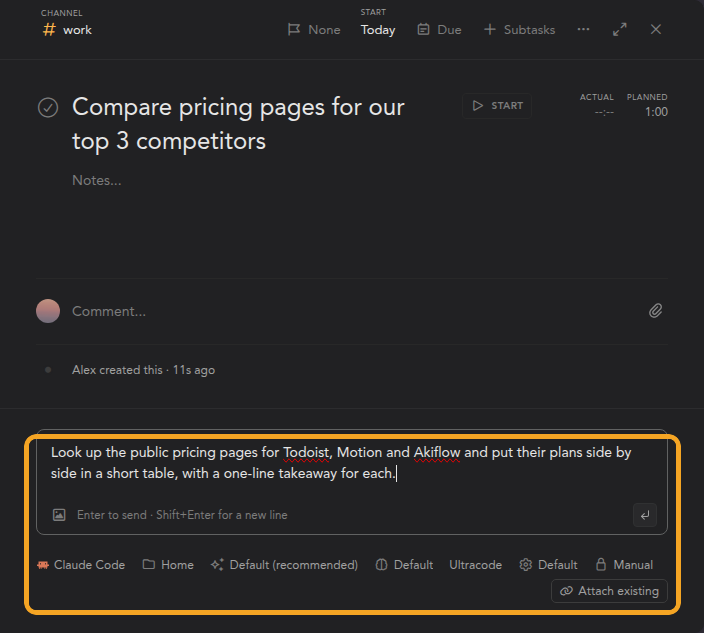
The conversation becomes a thread on the task, named from your request. A task can have as many threads as you like.
Work with your agent
Threads show up under their task in your task list, so you can see what each agent is up to without opening anything. When an agent finishes, gets stuck or has a question, its thread is marked with an amber dot until you open it.
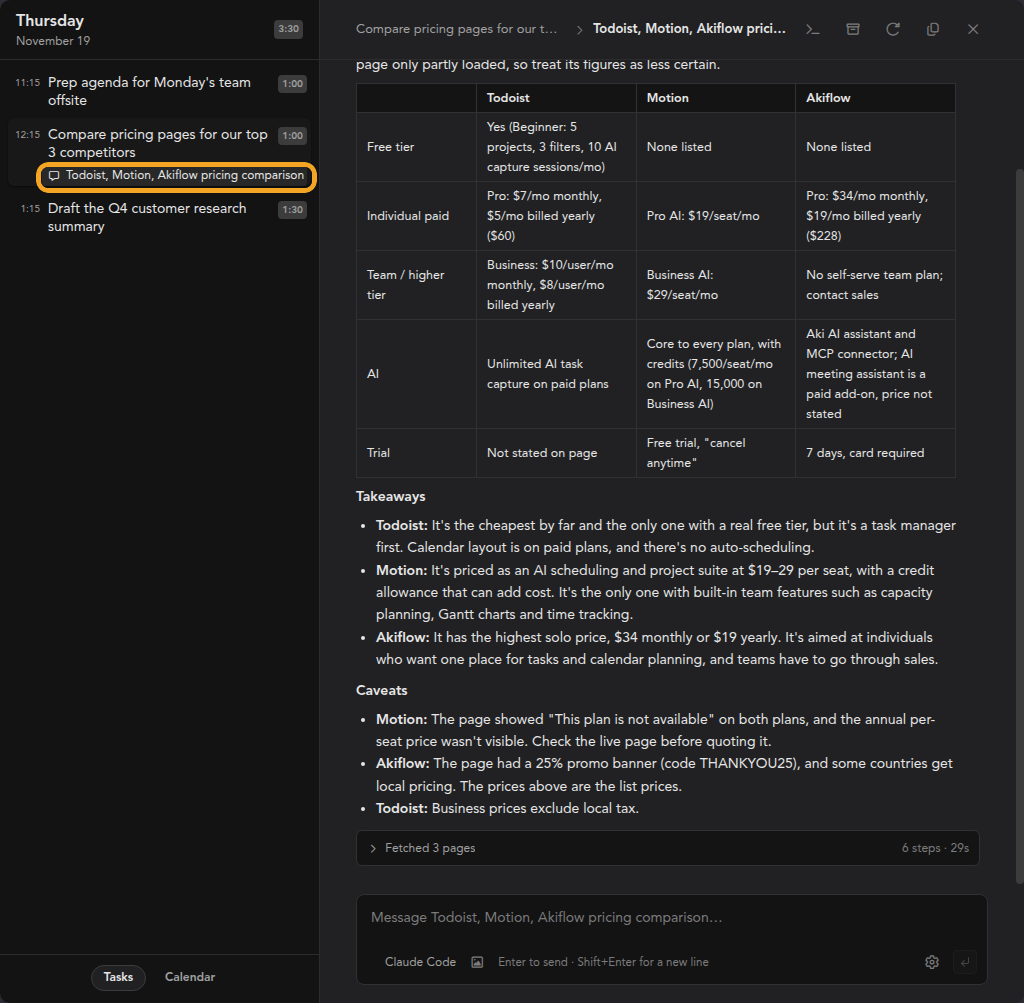
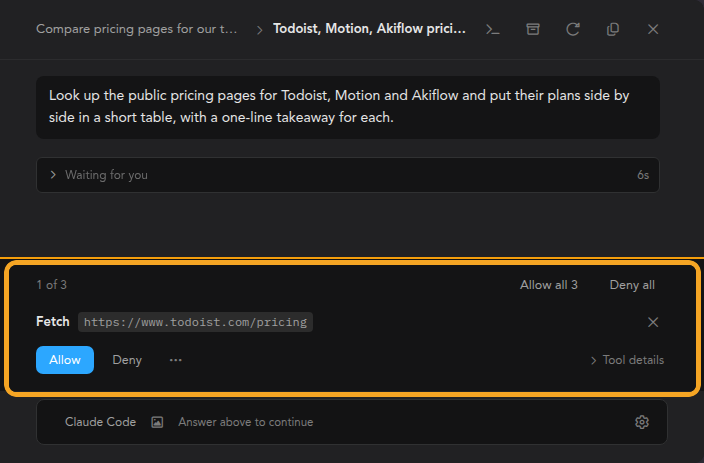
Before an agent does something like opening a web page or changing a file, it may ask first. Answer with Allow or Deny, or use Allow all when it asks several things at once.
You can keep talking to the agent at any time. While it’s working, Enter queues your message for when it’s done, and ⌘ Enter sends it right away to change course. You can also stop it.
Bring in conversations from elsewhere
Already started something in your agent’s own app or terminal? Click Attach existing under a task to find that conversation and add it to the task.
Settings
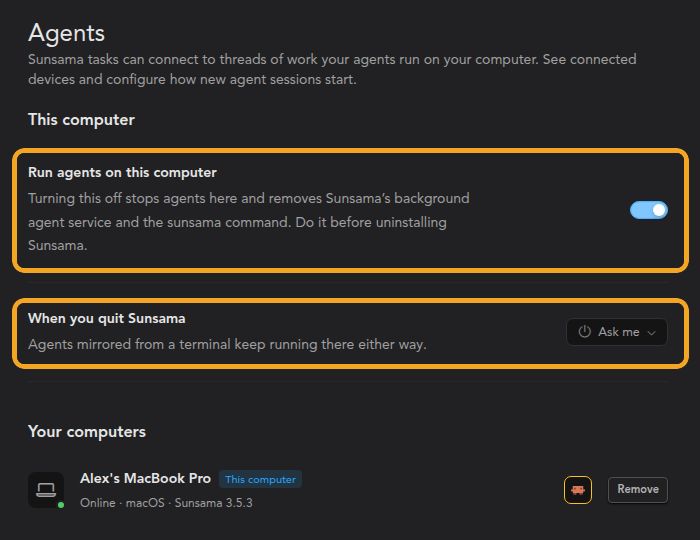
Go to Settings > Integrations > Agents to:
- Turn Run agents on this computer on or off.
- Choose what happens to running agents when you quit Sunsama: ask, keep them running, or stop them.
- See your computers and which agents each one has.
To leave the beta, go to Settings > Account > Beta and turn off Agent threads.
Need help?
Email us at support@sunsama.com and we’ll help you get set up.